...

China Best Video Keypad Door Entry Systems for Buyers?

China’s access-control market is changing as homes, offices, and apartment buildings adopt connected entry systems. Grand View Research estimated the global smart-lock market at US$2.63 billion in 2023, with a projected 19.6% compound annual growth rate from 2024 to 2030. This is a broad market estimate, not a forecast for video keypad systems alone. Still, it signals rising demand for convenient, connected access.

For buyers comparing products from China, a Video Keypad Door Entry system combines camera-based visitor identification with PIN access and two-way communication. The details matter. Check image clarity in dim corridors, keypad response, weather protection, wiring requirements, and backup power. Ask whether the indoor monitor, mobile app, and door-release hardware work together. Confirm the system’s network and integration requirements before ordering; product listings do not always explain them clearly.

Specifications deserve scrutiny. Look for stated operating temperatures, ingress-protection ratings, storage options, and warranty terms, then request supporting documentation. Where interoperability matters, verify the exact protocols and compatible equipment rather than assuming compatibility. A low price can be attractive. It may also leave gaps in support or installation guidance. No single model suits every building, and published market growth cannot prove a product’s reliability. This guide focuses on practical checks buyers can use to compare suppliers, assess features, and ask better questions before choosing a system.
China Best Video Keypad Door Entry Systems for Buyers?

What Video Keypad Door Entry Systems Are and How They Work

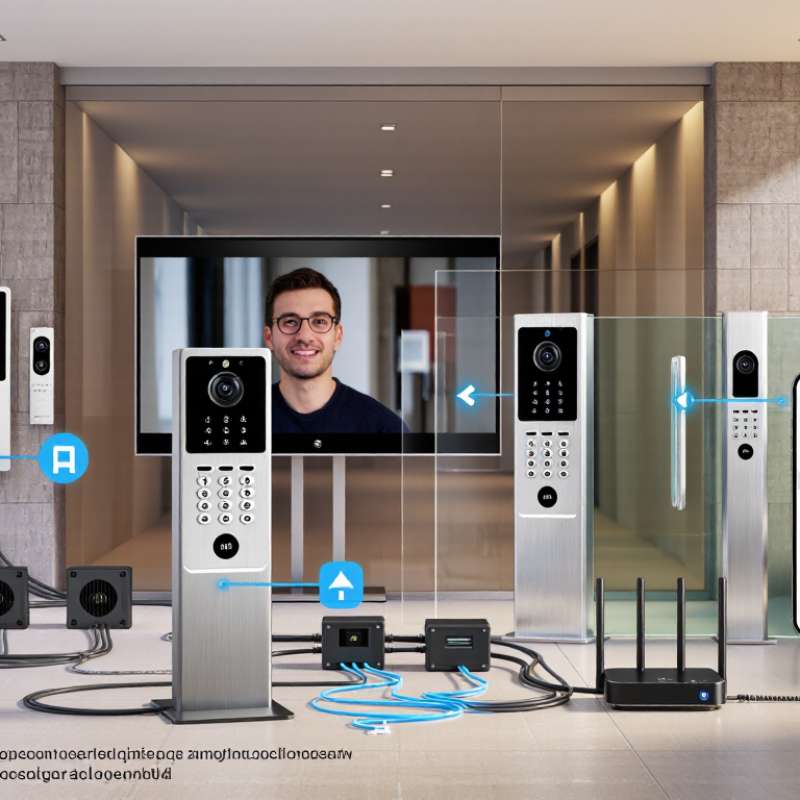
A video keypad door entry system combines a numeric keypad, camera, microphone, speaker, and door-release control. At the entrance, a visitor enters a code or presses the call button. The camera captures their face, while the microphone and speaker carry a two-way conversation to an indoor monitor or connected device. The resident can check who is there before releasing the door.

When access is approved, a signal travels to an electric lock or door controller. The keypad may store individual codes, so a household can change access without replacing keys. Some systems connect through wired networks; others rely on wireless connections. That difference matters: a weak signal or power interruption can affect calls and remote access. A keypad can feel reassuring, but it is not a complete security plan. Installation details and lock compatibility need careful checking.

Tips: Test the camera at night and in direct sunlight. Use a code that is not easy to guess, and change it when access needs change. Keep a physical release method available. Small setup details are easy to overlook.


China Best Video Keypad Door Entry Systems for Buyers? — What They Are and How They Work

Typical components involved in common video keypad entry interactions. A value of 1 means the component is typically involved; 0 means it is not typically required. Actual configurations vary by system.

A visitor can call a resident through the entrance camera and indoor monitor or app. Residents can communicate with the visitor and trigger the door controller to release the lock. A keypad provides a separate way to request entry using a PIN.

Key Components and Access Control Methods

A video keypad door-entry system has several working parts: a camera, microphone, keypad, controller, electric lock, and power supply. The controller checks a PIN or credential, then signals the lock; the camera lets a resident assess a visitor before granting entry. Grand View Research valued the global access-control market at USD 10.32 billion in 2023 and projects an 8.2% compound annual growth rate from 2024 to 2030. That growth reflects demand, but it does not make every system suitable for every doorway.

Access methods should match the site. A shared apartment entrance may use resident PINs, temporary visitor codes, and a video call function. For a small office, individual credentials are easier to revoke than one code shared by everyone. Avoid using birthdays or flat numbers as PINs. The Verizon 2024 Data Breach Investigations Report found that 68% of breaches involved a non-malicious human element. That figure covers many kinds of breaches, not door systems specifically, but it reinforces a practical point: people and habits matter.

Check how the system behaves during a power or network outage. Does the lock remain usable, and can managers remove lost credentials promptly? Ask how video and access logs are stored, who can view them, and when they are deleted.

Small details. A glossy screen cannot compensate for weak credential management.

One caveat: keypad entry can be convenient, yet codes may be shared or observed, so higher-risk entrances may need an additional credential or verification step.

Features to Compare When Choosing a System

When comparing video keypad entry systems, check the camera, keypad, and lock relay as one working unit. Grand View Research estimated the global smart doorbell market at about US$2.3 billion in 2023, with 14.1% annual growth projected through 2030. That market estimate covers smart doorbells broadly, not keypad systems alone. It signals interest, not proof that a particular unit performs well. Compare daytime and infrared night images, viewing angle, and alert delay. A clear picture is less useful if a visitor’s face is hidden by a hood or the camera misses the doorstep. Small details matter.

Check whether the keypad remains usable with wet fingers and whether keys are visible at night. Review weather protection, power backup, encrypted storage, and options for local recording. Ask how long footage is retained and who can access it. Test the screen and sound from the actual entryway; walls and street noise can change performance. Test it at dusk. Also confirm compatibility with the existing lock and wiring before purchase. No checklist catches every awkward hallway, and advertised detection ranges may not match your site. Compare specifications, then verify the installation conditions.

Evaluating Chinese Manufacturers and Product Quality

When comparing Chinese video keypad door-entry manufacturers, judge the production process, not the catalogue photos. MarketsandMarkets estimated the global access-control market at US$10.4 billion in 2023 and projected US$15.2 billion by 2028. That growth signals demand, but it does not guarantee consistent product quality. Ask suppliers for current test reports, traceable component lists, and documented inspection procedures. Request a production sample, not only a showroom unit.

Test the details that residents will notice. Does the keypad respond with damp fingers? Can the camera show a visitor’s face clearly in dim corridor lighting? Check audio delay, door-release reliability, and the stated ingress-protection rating against IEC 60529. Small faults matter. A two-second lag can feel much longer at a locked entrance. Review firmware support and replacement-part availability in writing; a strong first sample is not enough.

Factory audits can help, though a polished audit file may miss rushed shifts or inconsistent assembly. Ask how defects are recorded and corrected, then compare several units from one batch. Check whether the manufacturer can explain its test methods plainly. If answers stay vague, pause. Price is visible; long-term service quality is harder to measure, and buyers sometimes underestimate that gap.

Installation, Security, and Ongoing Maintenance

China Best Video Keypad Door Entry Systems for Buyers?

Installation, Security, and Ongoing Maintenance

A video keypad system works best when its camera, lock, and wiring are planned together. Check the door frame, power supply, Wi-Fi coverage, and cable route before installation. A weak signal can delay video or keypad responses, especially through brick walls. Mount the camera near face height, and test the view at night and in daylight. Keep rainwater away from exposed connections. Small details matter.

Security depends on more than a strong PIN. Verizon’s 2024 Data Breach Investigations Report found stolen credentials in 24% of initial access paths. Use unique access codes, remove former users promptly, and change default settings before connecting the system to a network. Limit administrator access, enable available software updates, and review entry logs for unusual activity. A camera view is useful, but it does not replace a physical inspection.

Tips: Test every keypad button, door release, and backup power source during routine checks. Clean the lens with a soft cloth, inspect seals and cables for wear, and confirm that notifications reach the right phone. Keep a written record of faults and repairs. One thing is easy to overlook: maintenance schedules need adjusting when weather or daily use changes.

China Best Video Keypad Door Entry Systems for Buyers? - Installation, Security, and Ongoing Maintenance

Buyer Evaluation Area Typical Specification or Condition Installation and Security Guidance Ongoing Maintenance
Video resolution and viewing angle Many current IP entry stations offer 1080p video; lens fields of view commonly fall around 110°–160°, depending on the model. Check the image at the actual mounting height and distance. Confirm that faces remain identifiable in backlight and low-light conditions. Clean the lens with a soft, non-abrasive cloth. Test daytime and nighttime images periodically.
Power and network connection Systems may use Power over Ethernet, a local low-voltage power supply, or a combination. PoE compatibility and power class are model-dependent. Confirm the required voltage, PoE standard, cable distance, and total network-switch power budget before installation. Use suitable outdoor-rated cable where exposed. Check connectors for moisture, corrosion, loose fittings, or physical damage. Review network and power alerts after outages.
Outdoor protection IP65-rated housings are common for exposed entry points; impact-resistance ratings vary by product. Verify the stated IP and IK ratings for the exact configuration. Seal cable entries, use appropriate mounting hardware, and avoid locations where water pools. Inspect seals, fasteners, and the housing for cracks or water ingress. Remove dust and debris from openings without blocking them.
Operating temperature Published operating ranges vary; outdoor units are often specified for sub-zero and hot-weather operation, but the exact limits must be checked. Compare the product’s rated range with local seasonal conditions. Consider direct sun, wind exposure, and sheltered mounting positions. Look for condensation, unusual resets, or display and keypad problems after severe temperature changes.
Keypad and access codes Keypads commonly support individual PINs, with supported code length and user capacity varying by system. Use unique codes, avoid easily guessed sequences, and remove access promptly when a user no longer needs it. Ask whether the system supports temporary or time-limited codes. Review active users and permissions on a schedule. Replace compromised codes and check keypad buttons for sticking or wear.
Lock output and door hardware Entry stations typically provide a relay or other control output; electrical ratings and supported lock types vary. Match the output to the electric strike or magnetic lock. Use the correct power supply and suitable protection components, and ensure the door meets applicable fire and egress requirements. Test unlocking and relocking, inspect door alignment, and confirm that the lock releases as intended during a power failure where required.
Credentials and communications security Security capabilities may include encrypted communications, secure user management, and software updates; implementation differs between systems. Ask how video, credentials, and administrative access are protected. Change default passwords, restrict administrator accounts, and place entry devices on an appropriately secured network. Install security updates through the approved process. Review account access and available logs, and disable unused services and accounts.
Video recording and privacy Recording may be local, network-based, or unavailable; storage capacity and retention depend on the system configuration. Confirm recording, retention, and access-control settings before purchase. Position cameras to cover the entry without unnecessarily recording neighboring private areas, and follow local privacy rules. Check recording operation, storage capacity, clock settings, and authorized access. Apply the organization’s retention and deletion policy.
Installation and commissioning Work may involve mounting, cable routing, network setup, lock integration, and configuration of users and calling destinations. Prepare a wiring plan and verify compatibility among the entry station, indoor monitor or app, network, power supply, and door hardware. Test every user path before handover. Keep wiring diagrams, configuration records, and recovery instructions in a secure location. Retest the system after changes to the network or door hardware.
Backup power and failure response Backup operation depends on the power supply, battery capacity, network equipment, and connected lock; no single runtime applies to every installation. Calculate backup needs for the complete system, not just the entry station. Confirm the door’s safe behavior during loss of power and provide an appropriate alternative entry procedure. Test backup batteries according to their manufacturer’s instructions and replace them when their condition or service life requires it.
Routine inspection schedule A practical starting point is a monthly visual check, periodic access and call testing, and a more detailed annual review; high-use sites may need more frequent checks. Set inspection frequency according to traffic, weather exposure, security requirements, and the consequences of a failure. Record test results, faults, repairs, software updates, and battery changes. Escalate repeated faults for professional diagnosis.
Supplier and documentation checks Documentation should identify supported power, wiring, environmental ratings, compatible locks, update procedures, and warranty terms. Request the exact model’s technical documents, installation instructions, compliance information applicable to the destination market, and written support and spare-parts terms. Keep current manuals, configuration backups, support contacts, and a record of installed versions available to authorized maintenance staff.

Buyer note: Specifications and performance vary by model and installation. Verify all ratings, wiring requirements, compatibility, privacy obligations, and local building and fire-safety requirements against the exact product documentation before purchase.

en_USEnglish

PCD Inserts

PCBN Inserts

Solid CBN Inserts

PCD Milling Cutter

PCD Drilling Tools

PCD Reamer

Diamond Special Tool

Diamond Dressers