...

How to Choose the Best TrueNAS Server in 2026?

Choosing a True Nas Server in 2026 begins with the work it must handle, not a shiny processor. Backups, media libraries, virtual machines, and office file shares place different demands on storage, memory, and network speed. Write down the number of users, expected data growth, and the services you plan to run. A home media server with four drives has different needs from a business system supporting daily operations.

Check drive-bay capacity, motherboard and controller compatibility, memory limits, and network ports before comparing prices. ZFS depends on careful storage planning, and redundancy is not a substitute for a separate backup. A failed disk should not become a data-loss event. Review current TrueNAS hardware guidance, warranty terms, power use, and replacement-part availability. A low purchase price can hide costs in noise, electricity, or difficult maintenance. Small details matter.

The best choice is the system that fits your workload and remains manageable as it grows. Estimate usable capacity after redundancy, leave room for future drives, and confirm that your network can deliver the speeds you expect. For virtualization, check processor support and memory headroom; for file serving, prioritize dependable storage and reliable backups. It is easy to overvalue benchmark numbers. Even a careful checklist can miss a practical constraint, such as where the server will sit or who will maintain it. Use the recommendations below to compare suitable options, and verify specifications against current manufacturer documentation before buying.
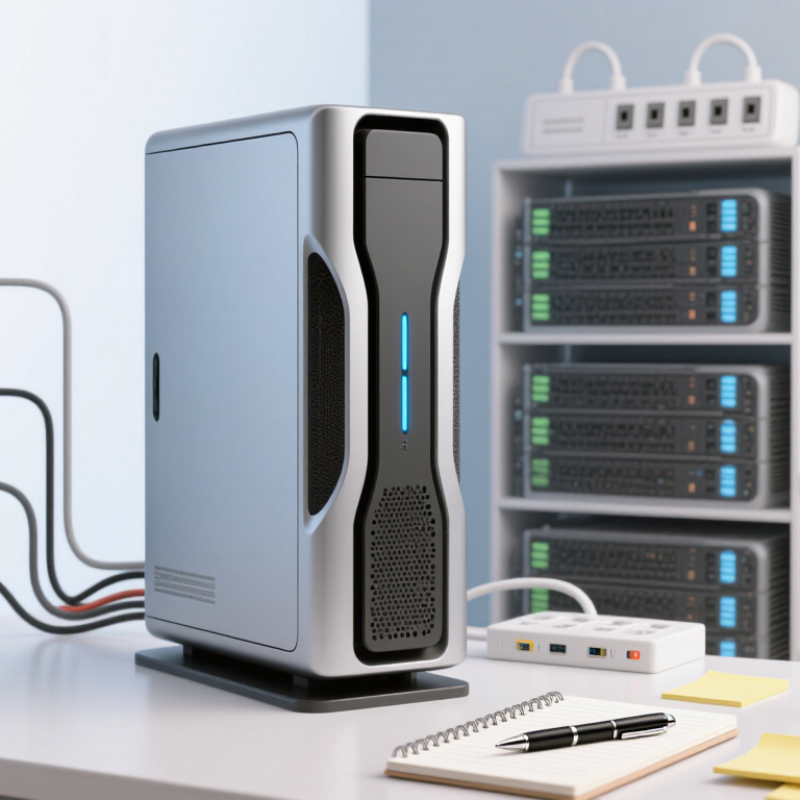
How to Choose the Best TrueNAS Server in 2026?

Identify Your Workloads, Users, and Data-Growth Needs

Before comparing server specifications, write down what the system will actually do. Start with the work. A small household library of films and photos has different needs from a shared editing folder, virtual machines, or daily business backups. Note how many people will access files at once, and whether they need smooth video playback, fast project loading, or simply reliable storage. A few simultaneous users can matter more than a large user count who rarely connect.

Estimate current data, then track how quickly it grows each month. A photo archive may expand steadily; video projects can add hundreds of gigabytes in a week. Leave room for snapshots, backups, and future expansion, rather than treating every advertised terabyte as usable space. Redundancy helps protect availability, but it is not a separate backup. Keep another copy of important files on an independent system.

Match hardware to measured demand: memory, processor capacity, network speed, and drive count all affect performance. For example, several users opening large files over a slow network may see little benefit from faster disks alone. I have seen growth estimates miss badly when a team changed its workflow. Recheck them after a few months, and choose a setup that can expand without forcing an urgent rebuild.


Choose a TrueNAS Platform and Compatible Hardware

Start with the workload, not the server’s appearance. A quiet two-bay system may suit backups, while virtual machines and multiple users need more memory, storage bays, and processing headroom. Check the current TrueNAS release’s hardware requirements before buying. Small details matter.

Choose a platform with supported x86-64 hardware, reliable firmware, and room to expand. For storage, confirm that the controller exposes individual drives rather than hiding them behind hardware RAID. Check drive interfaces, bay count, cooling, and power capacity. ECC memory can help detect memory errors when the platform supports it, but it is not a substitute for backups. Keep it simple.

Network speed should match real use. A faster link helps only when the drives, switches, and client devices can keep up. Leave spare ports or expansion slots if growth is likely. Read compatibility notes for the exact motherboard, controller, and network adapter; support can change between software releases. I would resist buying for a perfect future setup. A little spare capacity is sensible, but excessive hardware adds cost and heat. Test the planned configuration with a few drives before committing the full array. Test before scaling.

How to Choose the Best TrueNAS Server in 2026? — Choose a TrueNAS Platform and Compatible Hardware
Use Case Platform Selection Processor and Memory Storage Configuration Networking and Expansion Compatibility Checks
Home storage and backups A community platform is generally suitable when self-management and a single-server setup meet the requirements. Choose a modern 64-bit processor with enough capacity for file sharing and scheduled tasks. Start with 16 GB of memory; increase it for larger pools or additional services. Use at least two data drives for redundancy. A mirrored pair is simple to manage; a wider RAIDZ group can provide a different balance of capacity and fault tolerance. 1 GbE is adequate for many basic home workloads. Use 2.5 GbE or faster when the clients, switches, and cabling also support it. Confirm the board has enough SATA ports, cooling, and drive bays. Use a dedicated boot device where practical, separate from the main data pool.
Small office file sharing Select a platform and support model that fit the required maintenance, recovery, and service expectations. Allow more memory and processor capacity for simultaneous users, snapshots, and routine data services. ECC memory is a useful reliability choice when supported by the complete system. Plan the pool around the number of drives, required usable capacity, and acceptable drive-failure tolerance. Keep backups separate from the storage pool. 10 GbE can improve transfers when both the server and client network support it. Check the switch, transceivers or cables, and PCIe slot availability. Verify that storage controllers expose drives reliably to the operating system. Avoid controller modes that hide individual disks when direct disk access is required.
Virtual machines and application services Choose a platform release whose current feature set supports the intended services and maintenance workflow. Prioritize processor cores and memory headroom. Memory needs vary by workload; virtual machines require memory for both the host and each guest. Consider mirrored vdevs for workloads that benefit from low-latency random I/O. Use a separate, appropriately sized SSD pool only when its redundancy and backup plan are clear. Use faster networking if application traffic or virtual-machine access creates a measured bottleneck. Ensure expansion cards have suitable slots and airflow. Check current platform documentation for supported virtualization and application features. Validate storage, network, and device passthrough requirements before purchase.
Media editing and large-file transfers A self-managed platform can work well when the team can configure and maintain the storage system. Choose memory capacity based on pool size, concurrent users, and workload; there is no single fixed amount that suits every ZFS system. Use a pool layout designed for sustained throughput and redundancy. Test the actual editing workflow, because drive layout, file size, and client behavior affect performance. 10 GbE or faster may be appropriate for multiple high-throughput clients. End-to-end speed depends on the server, clients, switches, cabling, and storage pool. Confirm that the chassis can cool all drives under sustained use. Check lane sharing and bandwidth limits when multiple expansion cards are installed.
Larger multi-user or business-critical storage Evaluate enterprise support and hardware validation requirements alongside capacity, availability, and recovery objectives. Use a server platform with memory capacity and expansion options matched to the workload. ECC memory is commonly preferred for systems where data integrity and uptime are priorities. Design vdevs for the required capacity, performance, and fault tolerance. A redundant pool is not a substitute for tested, independent backups. Consider redundant network paths and suitable high-speed links where the network design supports them. Plan switch ports and failover configuration in advance. Check the platform’s current hardware guidance, controller behavior, drive support, power supply capacity, and replacement-part availability.

Planning note: usable capacity is lower than raw drive capacity and depends on the pool layout. Confirm the current platform requirements and test backups, restores, and performance with representative workloads before production use.

Plan Storage Capacity, Redundancy, Memory, and Networking

A good TrueNAS server starts with an honest capacity estimate. Count the files you have today, then allow room for growth, snapshots, and maintenance. A spreadsheet can look reassuringly precise, but family photos and project archives tend to multiply. Measure twice. Keep free space available; a pool filled to the edge leaves less flexibility for routine work.

Redundancy should match the cost of downtime and the number of drives. Mirroring offers straightforward recovery, while parity layouts can provide more usable capacity with different rebuild trade-offs. Larger drives may take longer to replace and resilver, so do not choose a layout by usable terabytes alone. Memory matters too. Size it for the file workload, services, and clients, and prefer error-correcting memory when the platform supports it. Heavy caching or deduplication needs careful testing, not hopeful assumptions.

Networking is useful only when the whole path can keep up. A faster server port will not help much if the switch, client, or disks become the bottleneck. For several users moving large files, faster Ethernet may be worthwhile; for backups and ordinary documents, reliable gigabit networking can be enough. Check cable quality, port compatibility, and real transfer speeds under load. Leave room for changes. Plans rarely survive contact with actual use unchanged.

How to Choose the Best TrueNAS Server in 2026? — Plan Storage Capacity, Redundancy, Memory, and Networking

Storage and redundancy: This comparison uses eight 12 TB drives (96 TB raw). Estimated usable capacity is 84 TB for RAIDZ1, 72 TB for RAIDZ2, 48 TB for mirrored vdevs, and 96 TB for a stripe without redundancy. These are nominal decimal figures before filesystem overhead and reserved space; a stripe provides no drive-failure protection.

Memory: Treat 8 GB as a practical starting point for a basic system, and consider 16 GB or more for general file-serving workloads. More memory may help with applications, virtual machines, and larger or more active datasets. Memory needs depend on workload; a fixed memory-per-terabyte rule is not a guarantee.

Networking: Choose link speed to match client needs and the storage pool’s real throughput. A faster network connection cannot make the drives or pool faster than they can deliver data.

Compare Prebuilt TrueNAS Systems with Custom-Built Servers

A prebuilt TrueNAS server offers a tested combination of motherboard, memory, storage controller, and chassis. It can simplify setup and provide one support path when a component fails. Check the exact drive count, network speed, memory capacity, and expansion options; “ready to use” may still mean adding disks and configuring backups.

A custom-built server gives more control over quiet fans, drive bays, and future upgrades. It also makes you responsible for checking component compatibility and diagnosing failures. Uptime Institute’s 2024 Global Data Center Survey reported that 54% of respondents’ most recent significant outages cost over $100,000. That figure is not a NAS-specific forecast, but it highlights the value of reliable power, cooling, and recovery plans. A custom build can save money, though not if troubleshooting consumes your weekends.

Tips: Match the system to your workload. For several users and large files, prioritize memory, a supported storage controller, and fast networking. Verify ECC memory support and keep a spare drive. Before buying, test how you would restore a shared folder after accidental deletion. A tidy rack is no substitute for a tested backup.

Evaluate Expandability, Support, Power Use, and Total Cost

Choose a storage server by its useful life, not its bay count alone. Leave room for future drives, memory upgrades, and a faster network card. Check whether the chassis provides clear drive labeling and tool-free access; small conveniences matter during a late-night replacement. Support also has value. Compare warranty length, repair turnaround, firmware updates, and whether replacement parts remain available. A low purchase price can become expensive if a failed fan stops a busy shared folder for days.

Power is a recurring cost, not a footnote. The U.S. Energy Information Administration’s 2023 Electric Power Annual lists an average retail electricity price of 12.68 cents per kilowatt-hour across all sectors. At that rate, a server drawing 100 watts continuously uses 876 kWh yearly, or about $111, before cooling and local fees. Measure the system at the wall with your expected drives installed; idle estimates can mislead. Add drive replacements, backup storage, and support costs to compare total ownership over three to five years. Forecasts are imperfect, and my spreadsheet would still miss a surprise repair.

Tips: Price two configurations: the one you need now and the one you might need in three years. Favor standard parts and documented support over theoretical maximum capacity.

en_USEnglish

PCD Inserts

PCBN Inserts

Solid CBN Inserts

PCD Milling Cutter

PCD Drilling Tools

PCD Reamer

Diamond Special Tool

Diamond Dressers