SUNDI TOOLS
- Copyright © Wuxi Sundi Precision Tools Co.,LTD All rights reserved.
- Site Map
Choosing a Sip Video Door Phone in 2026 is less about chasing the sharpest camera and more about finding a dependable fit for your building. A bright lobby, a noisy street, and a weak network can expose problems that a product photograph will never show. The right device should make calls clearly, open the intended entrance reliably, and work with your existing SIP system. Small details matter: keypad visibility at dusk, microphone pickup through a closed gate, and how quickly a visitor can reach the right person.
Jonathan Rosenberg, co-author of RFC 3261, describes SIP as “an application-layer control (signaling) protocol for creating, modifying, and terminating sessions.” That definition explains the communication layer, not the whole door phone experience. A compatible protocol alone cannot guarantee clear video or easy installation. Look closely at interoperability, power options, outdoor protection, access-control connections, and the manufacturer’s support record. Ask how the device behaves when the network drops. Then check whether its configuration tools suit the people who will maintain it.
A polished specification sheet can still mislead. Field conditions are messier. This guide compares practical selection factors for homes, offices, and multi-tenant buildings, including video quality, audio, security features, installation demands, and long-term maintenance. It also points out trade-offs that buyers sometimes overlook. No single model is best for every entrance. The useful choice is the one that performs consistently where you plan to install it.
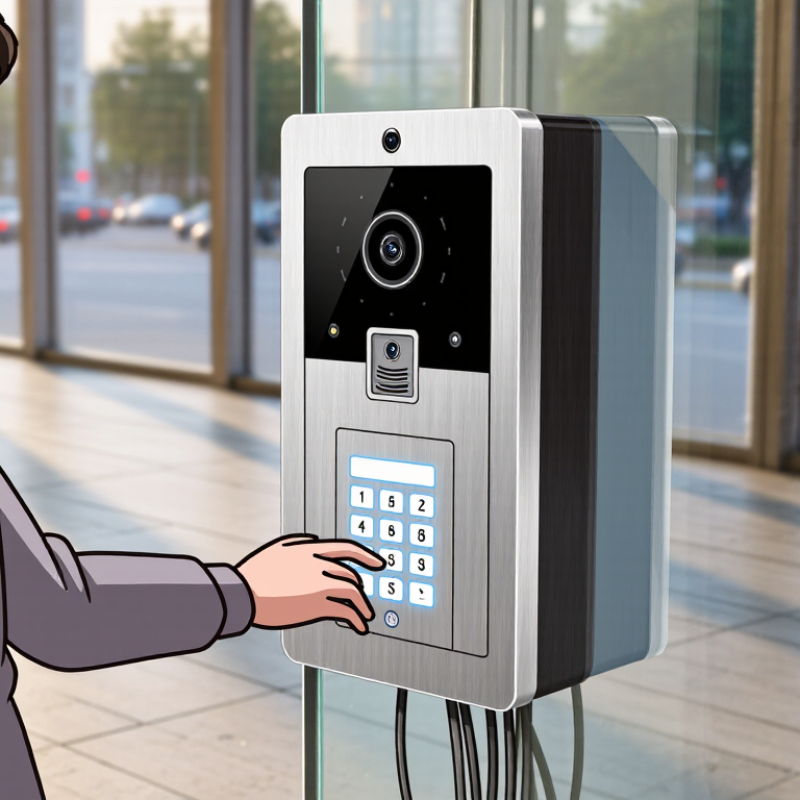
Choosing a SIP video door phone begins with the actual call flow. Will a visitor ring one apartment, a staffed desk, or several endpoints in sequence? Decide who can answer, what happens after a missed call, and whether staff need to unlock the entrance during a live call. Test these scenarios at the doorway, where traffic noise, glare, and slow response times become obvious.
RFC 3261 defines SIP signaling, not door access rules. An INVITE can start a call; responses show progress, and ACK confirms an accepted session. BYE ends it. A device may register with a SIP server, but some deployments use fixed routing instead. Confirm how the phone handles busy lines, timeouts, and network loss. Small details matter. A clear call sequence on paper can still feel clumsy when a visitor waits in the rain.
Treat video and access control as related but separate requirements. SIP helps establish the session; media negotiation and transport rely on other specifications and compatible device settings. Check supported codecs, network conditions, and whether the indoor station displays video promptly. Then verify that the door-release command requires the intended user action. RFC 3261 does not define who is authorized to open a door. Documenting that distinction prevents signaling compatibility from being mistaken for secure access design.
Before comparing screens or cameras, confirm that the door phone and PBX speak compatible versions of SIP. Check registration settings, extension authentication, and supported transport options. A device may register successfully yet fail to place a call if the PBX expects different dialing rules or DTMF signaling. Ask for the exact configuration requirements, not just a general claim of SIP support.
SIP sets up the call; RTP carries the audio and video. During testing, compare the codecs supported at both ends. For audio, G.711 is widely available, while other options may reduce bandwidth. For video, check whether both systems support a matching codec, such as H.264. Their SDP negotiation must agree on the media formats. I once treated a successful SIP registration as proof that everything would work. It wasn’t. A call can connect with no usable video, especially when NAT, firewall rules, or media ports are misconfigured. Test calls on the actual network, including calls to the intended indoor stations.
Tips: Request a compatibility sheet listing SIP transport, RTP or SRTP support, codecs, DTMF method, and required ports. Test two-way audio, video, and door-release signaling before installation. Keep one detail in mind: documentation can lag behind firmware, so verify the installed version.
How to Choose a SIP Video Door Phone in 2026?
Compare Video Resolution and H.264 or H.265 Stream Requirements
A higher resolution can show useful details, such as a parcel label or a visitor’s face, but it also needs more bandwidth and storage. For many entrances, 1080p provides a practical balance. Check the actual image in daylight and after dark; sensor quality and lighting can matter as much as pixel count. More pixels do not fix a dim, noisy picture.
H.265 can deliver similar visual quality at a lower bitrate than H.264, which may help on busy networks. But the door phone, SIP server, and viewing devices must all support the selected codec. If one device cannot decode H.265, the call may fall back to H.264 or fail to show video. Test the full call path, not just the product specification. Network conditions vary. A short delay can feel surprisingly long when someone is waiting at the entrance.
Tips: Compare sample streams at the intended resolution and frame rate. Ask for bitrate ranges, then test during peak network use. Leave some capacity for audio and other traffic. I would not choose a codec by efficiency alone; compatibility is easy to overlook.
Choosing a SIP video door phone means checking its real power needs, not just the number printed on a switch. IEEE 802.3af allows up to 15.4 W at the power-sourcing equipment. Cable losses mean a powered device may receive up to 12.95 W. That gap matters.
Read the phone’s specifications for typical and peak consumption. The camera, display, microphone, and infrared lights may draw power together, especially after dark. A quiet daytime test can be misleading. Test at night. Also check whether the door release needs a separate supply; PoE support does not automatically mean it can power every connected lock.
Budget for the whole Ethernet switch, too. A 24-port unit may have a limited shared PoE allowance, even when each port appears adequate. Long cable runs and warm enclosures can add practical constraints. Leave margin rather than designing right against the limit; a modest reserve is a useful planning habit, not a guarantee. I’d verify consumption during startup and night operation, then compare it with the switch’s total budget. Datasheets help, but real installations sometimes behave differently. A little uncertainty is worth admitting.
| Power or selection factor | Useful baseline | What it means for a door phone | Practical selection rule |
|---|---|---|---|
| IEEE 802.3af Type 1 power | Up to 15.4 W supplied by the PSE port | 15.4 W is the maximum available at the power-sourcing equipment, such as a PoE switch—not the guaranteed power at the endpoint. | Do not compare an endpoint’s required input directly with 15.4 W; use the available power at the powered device. |
| 802.3af power available at the powered device | Up to 12.95 W at the PD under the standard’s specified conditions | Some power is allowed for loss in the Ethernet cabling. The actual margin also depends on the PSE, cable, and installation. | For an 802.3af design, keep the phone’s documented maximum input below the available PD budget and leave room for variation. |
| Difference between PSE and PD figures | 15.4 W − 12.95 W = 2.45 W | This is the standard’s allowance between the PSE output and the maximum PD power under specified conditions; it is not extra power for the phone. | Budget using the endpoint-side figure, not the PSE-side figure. |
| Illustrative low-load planning case | 4 W endpoint load; approximately 8.95 W below a 12.95 W PD budget | An example for a configuration with limited auxiliary loads. It is an arithmetic illustration, not a universal door-phone consumption figure. | Check the manufacturer’s maximum input for the exact model and configuration; standby consumption alone is not enough. |
| Illustrative higher-load planning case | 10 W endpoint load; approximately 2.95 W below a 12.95 W PD budget | Leaves less margin for options such as display brightness, infrared illumination, or other powered features. Actual impact varies by device. | Confirm peak and maximum consumption with all intended features enabled, not just the default operating mode. |
| Load at or above the 802.3af PD budget | 12.95 W or more at the endpoint | An endpoint load above the available PD budget cannot be assumed to operate reliably from an 802.3af connection. | Choose a compatible higher-power PoE standard or a separately specified power supply, as supported by the device. |
| Higher-power PoE comparison: IEEE 802.3at Type 2 | Up to 30 W at the PSE and up to 25.5 W at the PD under specified conditions | Provides a larger standard power budget, but the endpoint and PSE must both support the required PoE type. | Verify the phone’s supported PoE standard and the switch’s per-port and total power budgets before choosing this option. |
| Door-lock or strike power | Determine the lock’s voltage, current, and power from its own specifications | A relay may only switch a lock circuit; it does not necessarily supply power to the lock. Lock loads can exceed a door phone’s available PoE budget. | Use a separately rated supply when required, and verify the relay’s electrical ratings and installation requirements. |
| Ethernet without PoE | Data connection only; a separate power source is needed unless the endpoint has another supported supply | A standard Ethernet data link does not, by itself, power the door phone. | Include the approved local power adapter or another supported power method in the installation plan. |
| Final power-budget check | Compare documented maximum endpoint input with the power available at the PD | Long or unsuitable cabling, switch limits, attached accessories, and startup or peak loads can affect a real installation. | Check the endpoint manual, PoE switch specifications, cable installation, and total switch budget; retain an appropriate engineering margin. |
Note: IEEE figures above are standard power limits under specified conditions. The 4 W and 10 W examples are illustrative calculations, not claimed typical consumption figures for all SIP video door phones. Use the exact device’s published maximum and peak power requirements for design.
When choosing a SIP video door phone for outdoor use, treat its IP rating as a test result, not a promise against every weather condition. IEC 60529 classifies protection against solid particles and water. The first digit relates to solids; the second relates to water. Higher figures can indicate greater protection under specified test conditions. Check the exact rating and installation guidance. Small gaps matter.
Match the water rating to the actual exposure. A sheltered porch differs from a wall facing wind-driven rain or regular cleaning spray. Do not assume an IP rating covers every angle, pressure, or duration of water exposure. That matters. Also check whether the stated rating applies to the complete installed unit, including its cable entry and mounting arrangement.
For impact resistance, look for an IK rating under IEC 62262. It indicates resistance to mechanical impacts, with test levels linked to impact energy. A higher level may suit an exposed entrance where knocks are more likely, but it does not make the device indestructible. Consider the mounting height and nearby traffic. An impact rating cannot tell you how the unit handles temperature swings, sunlight, or corrosion. A rating alone is not enough; compare test details with the conditions at your entrance, and allow for some uncertainty.