...

China Top 10 PDA Barcode Scanner Manufacturers

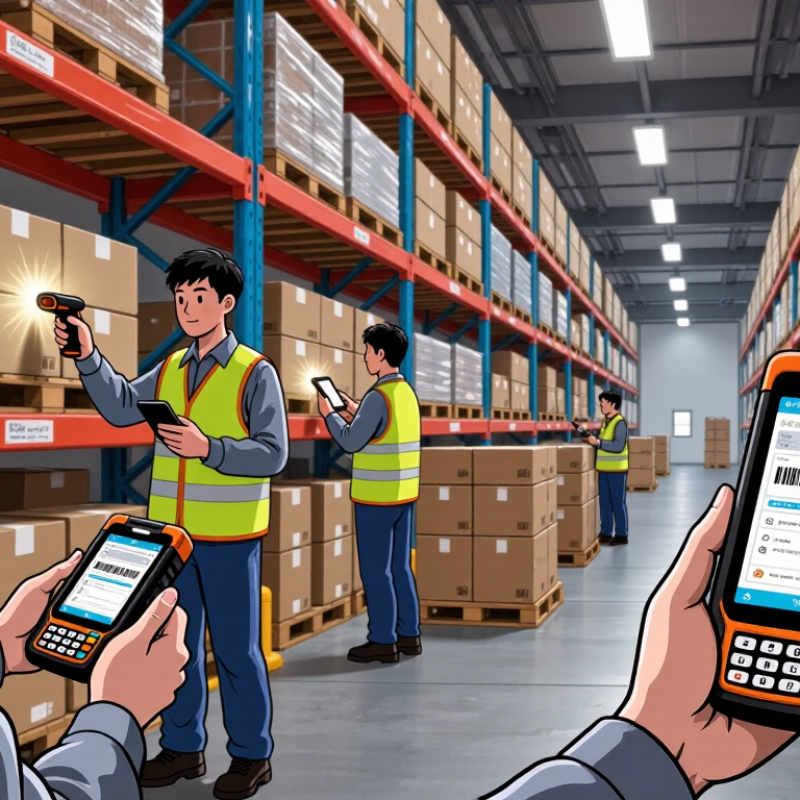
China has become an important sourcing base for mobile data-capture equipment, including the Pda Barcode Scanner. These devices help warehouse staff scan cartons, check stock, and update records at the point of work. A dropped connection or hard-to-read screen can slow a shift. Small details matter.

Market reports offer useful context, though they cannot predict the right supplier for every buyer. Grand View Research’s Barcode Scanner Market Size, Share & Trends Analysis Report projects a 7.8% compound annual growth rate for the global market from 2024 to 2030. Zebra Technologies’ 2023 Warehousing Vision Study found that 83% of surveyed warehouse decision-makers planned to increase technology investment. These figures point to growing interest in operational visibility and automation. They do not prove that every device or manufacturer meets a specific site’s needs.

This overview introduces ten Chinese manufacturers of PDA barcode scanners. It considers practical factors such as scan performance, battery life, operating-system support, ruggedness, customization, and after-sales service. A product sheet is only a starting point. Buyers should also request current specifications, test sample units with their own labels, and confirm warranty and support arrangements directly with suppliers. Not just speed. A scanner that works well in a bright showroom may behave differently on a dusty warehouse floor. This list is a research aid, not a universal ranking; supplier capabilities and product lines change, so details deserve verification before procurement.
China Top 10 PDA Barcode Scanner Manufacturers

What Is a PDA Barcode Scanner?

A PDA barcode scanner is a handheld computer that reads a barcode and connects the scan to useful work data.

It typically combines a barcode imager, display, processor, memory, and wireless connection in one portable device. Many models read both one-dimensional and two-dimensional codes. The term “PDA” can be imprecise today; in practice, people may also call these devices mobile computers or data terminals. One scan can retrieve an item record, update a count, or confirm a package’s location.

Quick feedback matters. A clear beep and visible result help workers catch missed or duplicate scans in a busy aisle.

These devices are used in warehouses, retail stockrooms, delivery operations, and manufacturing workflows. A worker might scan a carton label, check its quantity on screen, then send the record to a central system over Wi-Fi or a cellular network. Some scanners can store data temporarily when connectivity drops, but that feature and later synchronization should be checked for each workflow.

Not every environment needs a rugged model. Still, a device used through a full shift should feel balanced, have a readable screen under bright lights, and tolerate ordinary knocks. There is no single best configuration. Barcode quality, scan distance, battery life, software compatibility, and glove use all affect the choice.

It is easy to focus on scan speed and overlook how tiring a heavy device can become after hundreds of scans.


How China’s PDA Barcode Scanner Industry Has Developed

China’s PDA barcode scanner industry has shifted from assembling basic handheld terminals to developing more complete mobile data-collection systems. Early devices focused on reliable scanning and simple inventory records. Today, buyers expect touchscreens, wireless connectivity, cameras, and software that can work across warehouses, retail floors, and delivery routes.

That change reflects a broader manufacturing ecosystem. Component suppliers, enclosure makers, firmware teams, and testing facilities can work closely together, helping shorten design revisions. A scanner may need to read a worn label under dim warehouse lighting, survive repeated drops, and sync records near a loading dock. Small details matter. Battery life, trigger placement, glove-friendly controls, and charging contacts can shape daily productivity more than a long specification sheet.

The sector is also moving toward configurable platforms rather than one-purpose devices. Businesses may request different scan engines, operating systems, or accessories for cold storage and outdoor use. Yet progress is uneven. Some products look capable on paper but need longer field trials to prove durability and software stability. That gap deserves attention. Strong development now depends not only on production scale, but also on dependable quality control, clear technical documentation, and feedback from workers who use the devices every shift.

Key Technologies Used in PDA Barcode Scanners

Key Technologies Used in PDA Barcode Scanners

A PDA barcode scanner combines an imaging engine, a handheld computer, and software that turns scanned data into usable records. Its CMOS sensor captures a label as an image, while decoding algorithms identify common one-dimensional and two-dimensional codes. Lighting matters. Built-in LEDs help illuminate a scratched label or a dim shelf, and autofocus can improve reads at different distances. In practice, glossy packaging and motion blur can still cause missed scans.

A processor runs the scanning app and manages tasks such as inventory lookup and order entry. Wi-Fi or cellular connectivity can send records to a central system, while Bluetooth links the PDA to accessories. These features work best when coverage is reliable; a warehouse corner with weak signal may require offline storage and later synchronization. That detail is easy to overlook.

Physical design is technology, too. A responsive touchscreen, programmable scan key, and replaceable battery can make repeated scanning less tiring during a long shift. Sealed buttons and a reinforced housing help the device handle dust, drops, and frequent cleaning, though no rugged rating makes it indestructible. Manufacturers balance scan speed, battery life, screen brightness, and device weight. There is no perfect setup; the right combination depends on label quality, working distance, and daily scan volume.

China Top 10 PDA Barcode Scanner Manufacturers - Key Technologies Used in PDA Barcode Scanners

Technology Area How It Works Typical PDA Scanner Application Practical Benefit
1D laser scanning A laser beam sweeps across a linear barcode, and a sensor detects reflected light variations to decode its bars and spaces. Reading traditional linear codes, such as retail or inventory labels. Provides fast reading of supported 1D codes; it cannot capture 2D symbols such as QR codes.
Linear imaging A one-dimensional image sensor captures the barcode as an image line, which decoding software analyzes. Capturing 1D barcodes without using a moving laser beam. Can read linear codes from screens or labels, subject to the device’s optics and supported symbologies.
2D area imaging A two-dimensional image sensor captures a full image of the symbol, allowing software to locate and decode it. Reading 1D and 2D codes, including QR Code and Data Matrix, when supported by the decoder. Supports a wider range of code formats and can read symbols in different orientations.
CMOS image sensor The sensor converts incoming light into electrical signals that form the image used for barcode decoding. Image capture in camera-based 1D and 2D scanning engines. Enables digital image capture; scan performance also depends on resolution, exposure, optics, and lighting.
Illumination and aiming An illumination source lights the code, while an aiming pattern helps the user position the scanner. Scanning in dim environments or targeting a specific label in a busy field of view. Improves visibility and targeting; the exact lighting and aimer design varies by scanning engine.
Optics and depth of field The lens focuses reflected light onto the sensor. Depth of field describes the working-distance range in which a code can be read. Scanning labels at different distances, sizes, and positions. Helps determine suitable scanning distance and use case; actual range depends on the engine and barcode conditions.
Barcode decoding software Algorithms locate symbols in captured data, interpret their patterns, and check the result against supported code formats. Decoding standard symbologies and handling variations in orientation, contrast, or print quality. Determines which barcode formats the device can read; capabilities depend on the decoder and configuration.
Processing platform A processor runs the operating system, scanning services, business applications, and data-handling tasks. Running warehouse, retail, delivery, and field-service workflows on the handheld device. Influences application responsiveness and multitasking; performance varies by hardware and software workload.
Wireless connectivity Wi-Fi, Bluetooth, or cellular radios transmit data between the PDA and compatible networks or peripherals. Sending scan results to business systems or connecting to supported accessories. Supports connected workflows; available radios, bands, and network performance depend on the device configuration.
Rugged enclosure and ingress protection A reinforced housing and sealed construction help protect internal components from specified impacts and dust or water exposure. Use in warehouses, logistics operations, and other demanding work environments. Can improve durability in intended conditions; protection levels must be verified against the individual device’s tested rating.

Note: This table summarizes common technologies and design considerations found in PDA barcode scanners. Features and performance vary by device configuration.

Profiles of Ten Chinese PDA Barcode Scanner Manufacturers

This profile-based guide examines ten Chinese PDA barcode scanner manufacturers through practical differences rather than sales claims. One maker may focus on compact devices for shelf checks, while another may offer larger screens suited to warehouse picking. A third may emphasize rugged housings; a fourth may provide configurable scanning engines. These distinctions matter. A scanner used beside a loading dock faces dust, drops, and bright sunlight, unlike one used at a retail counter.

The other profiles compare battery options, keypad layouts, wireless connectivity, operating-system support, and accessory choices. Some manufacturers may serve buyers seeking standard models with predictable lead times. Others may handle custom configurations, though customization can add testing and sourcing steps. Ask for details. Request sample units and test them with your actual labels, gloves, and work routines. A clean scan in a showroom proves little about performance on worn or curved codes.

A useful comparison also checks production consistency, repair arrangements, software documentation, and the availability of replacement batteries. Request current test records, warranty terms, and component-change notices; specifications can vary between production batches. Not every supplier will fit every deployment, and public product descriptions may omit useful limits. That gap deserves attention. A careful shortlist should separate verified capabilities from assumptions before purchase decisions are made.

China Top 10 PDA Barcode Scanner Manufacturers

A practical comparison point for manufacturer profiles: the barcode formats PDA scanners may be designed to read.

Counts represent selected, established examples—not manufacturer totals or a claim that every device supports every format. 1D examples: UPC-A, EAN-13, Code 128, Code 39, Interleaved 2 of 5, and Codabar. 2D examples: QR Code, Data Matrix, PDF417, and Aztec.

How to Compare Manufacturers and Their Product Applications

Comparing PDA barcode scanner manufacturers starts with the work the device must handle. A warehouse operator may need a rugged housing, a readable screen under bright lights, and scanning from several feet away. A retail worker may value a lighter grip and quick one-handed operation. Ask manufacturers for test results tied to your barcode types, lighting, and working distance, rather than relying on general performance claims.

Check more than the scanner engine. Compare battery capacity across a full shift, drop-test conditions, operating temperature, wireless stability, and the availability of repair support. Confirm that the operating system and data interfaces fit your existing software. Request a sample unit and test it with gloves, damaged labels, and repeated scans. Fit matters. A high scan rate is not automatically better if the device is tiring to hold. I would also revisit assumptions after a real shift; office testing can miss small workflow problems.

Tips: Share your actual use case, including scan distance, daily volume, and environment. Ask for written specifications and warranty terms. Test two or three representative tasks before placing a large order. Small details count.

en_USEnglish

PCD Inserts

PCBN Inserts

Solid CBN Inserts

PCD Milling Cutter

PCD Drilling Tools

PCD Reamer

Diamond Special Tool

Diamond Dressers